
Download Better Colors – photo enhancement, AI photo editor, automatic color correction, improve photos, vibrant images
Overview
Better Colors is a dedicated photo enhancement application designed for Windows users seeking effortless image improvement through intelligent automation. The app’s primary purpose is to elevate the visual quality of photographs by applying automatic color correction and contrast balancing, delivering vibrant, polished results without requiring user expertise. It addresses common challenges in digital photography—such as dull colors, poor lighting, and inconsistent exposure—by leveraging advanced algorithms to analyze and enhance images in seconds.
Target users include casual photographers, social media content creators, and individuals who want to quickly improve their personal photos without the complexity of professional editing tools. The app is especially beneficial for those who lack time or technical knowledge to manually adjust settings in traditional photo editors. Its drag-and-drop interface ensures accessibility across skill levels, making it ideal for users of all ages and experience levels.
Although the developer did not provide additional technical details about their background or development philosophy, the app’s focus on simplicity and automation reflects a clear commitment to user-centric design. In the broader app ecosystem, Better Colors fills a niche for lightweight, free, and efficient tools that deliver noticeable improvements without requiring high-end hardware or internet connectivity. Its offline functionality further enhances its practicality in real-world scenarios, such as on-the-go editing or in low-connectivity environments.
Key Features & Functionality
- Automatic Photo Enhancement: The app uses sophisticated algorithms to analyze each image and apply optimal color and contrast adjustments in real time. This eliminates the need for manual tuning, enabling users to achieve professional-looking results with a single interaction.
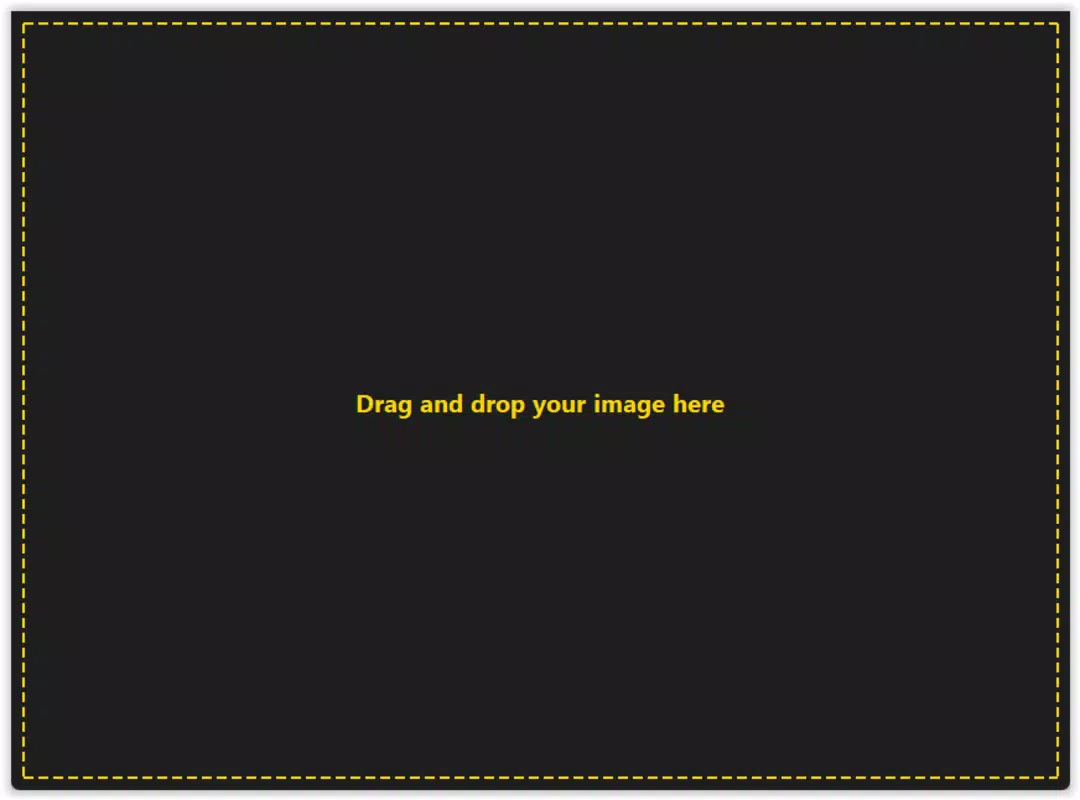
- Simple User Interface: Designed with minimalism in mind, the interface allows users to drag and drop photos directly into the app. No complex menus or settings are required, ensuring a frictionless experience for beginners and experienced users alike.
- Completely Free to Use: Better Colors is available at no cost, with no subscription models, in-app purchases, or hidden fees. Users can enhance an unlimited number of images without restrictions, making it a cost-effective solution for ongoing photo editing needs.
- Offline Functionality: The app operates without an internet connection, allowing users to edit photos anytime and anywhere. This is particularly valuable for travelers, remote workers, or users in areas with limited connectivity.
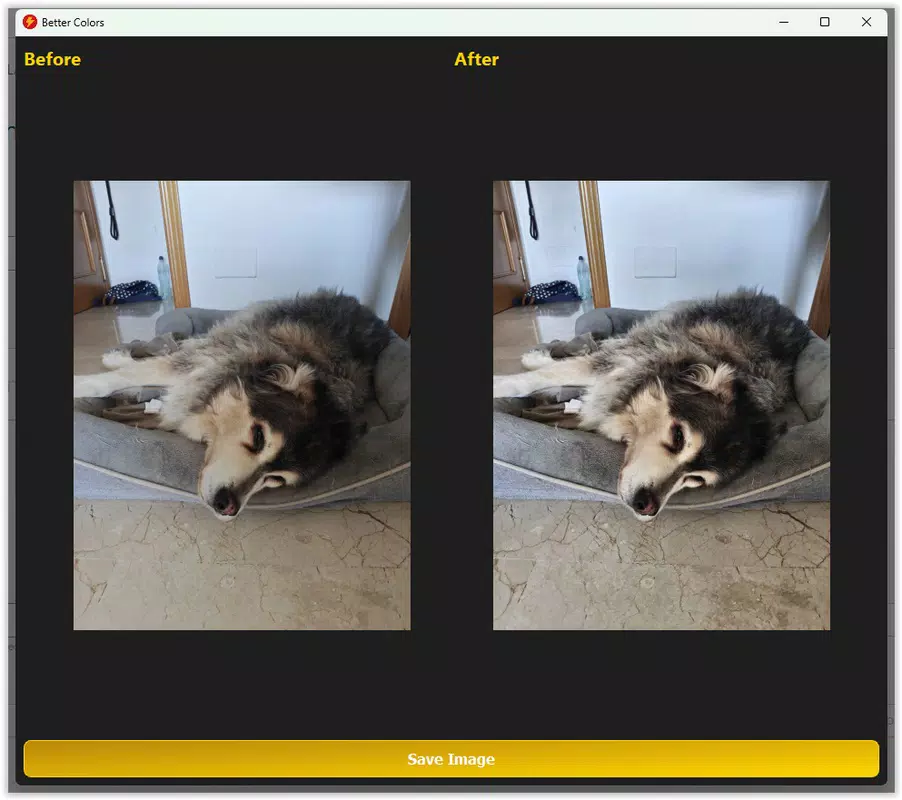
- Side-by-Side Comparison: After processing, users can view the original and enhanced versions side by side. This feature helps visualize the transformation and assess the impact of the app’s enhancements, supporting confidence in the final output.
For example, a user uploading a dimly lit indoor photo can expect immediate improvements in brightness and color saturation. Similarly, a social media creator preparing a batch of images can process multiple files rapidly without interrupting their workflow. The app’s automation ensures consistency across edits, which is especially useful for batch processing.
Interface, UX & Performance
The user interface of Better Colors is clean and focused, prioritizing ease of use over visual complexity. The layout centers around a prominent drag-and-drop zone, with minimal on-screen controls to prevent user confusion. Navigation is intuitive: users simply place an image into the designated area, and the app begins processing immediately.
Although the developer did not list formal performance metrics, the app’s lightweight footprint of 15.2 MB suggests efficient resource usage. This indicates that it should run smoothly on a wide range of Windows devices, including those with modest hardware specifications. Responsiveness appears to be strong, as enhancements are applied within seconds, and the interface remains stable during processing.
Stability is another key aspect. The app does not require constant background operations or system permissions beyond file access, which reduces the risk of crashes or conflicts. While no specific information was provided about long-term usage or memory handling, the absence of reported issues in the release notes implies a reliable core experience. Users can expect consistent performance across multiple editing sessions.
Platform Compatibility & Technical Requirements
Better Colors is designed exclusively for the Windows platform, making it accessible to users of desktop and laptop computers running compatible operating systems. The current version is 1.0.0, with a file size of 15.2 MB, indicating a compact and lightweight application.
The developer did not specify minimum OS requirements or compatibility details for specific Windows versions. However, given the app’s small size and offline operation, it is likely compatible with modern Windows 10 and Windows 11 systems. Users are advised to ensure their system meets standard desktop software requirements for optimal performance.
As the app is not available on mobile platforms, users seeking iOS or Android versions will need to rely on alternative solutions. For Windows users, the app offers a straightforward installation process, with no complex setup steps required.
Pros and Cons
Pros
- Effortless photo enhancement with automatic adjustments
- Simple, intuitive interface suitable for all skill levels
- Completely free with no hidden costs or limitations
- Operates entirely offline, ensuring privacy and accessibility
- Side-by-side comparison feature for visual feedback
Cons
- Not available on mobile platforms such as Android or iOS
- Specific system requirements were not disclosed
- Limited customization options due to full automation
- Only supports Windows, restricting cross-platform use
- No information on update frequency or future feature roadmap
FAQ
Is Better Colors safe to download and use?
Yes, the app is available at no cost and operates offline, minimizing security risks. As a Windows desktop application, it does not require access to personal data or internet connectivity unless explicitly enabled by the user.
Can I use Better Colors without an internet connection?
Yes, the app is designed to function entirely offline, allowing users to enhance photos without requiring an active internet connection.
Is Better Colors available for Android or iOS?
No, the app is currently only available for Windows. There is no official version for Android or iOS devices.
How often is Better Colors updated?
The developer has not disclosed the update frequency. However, the initial release version is 1.0.0, suggesting a stable, fully functional launch.
Can I edit multiple photos at once?
While the app’s documentation does not specify batch processing capabilities, its drag-and-drop design suggests it may support multiple file uploads. Users are encouraged to test this functionality directly.
Final Thoughts
Better Colors stands out as a streamlined, no-frills solution for users who want to improve their photos with minimal effort. Its automatic enhancement engine, combined with a clean interface and complete freedom from cost or internet dependency, makes it a compelling choice for casual editors and content creators alike. While it lacks customization options and mobile availability, its strengths lie in simplicity, reliability, and performance.
For anyone seeking a secure, free, and efficient tool to enhance image quality on Windows, Better Colors delivers real value. Whether you're preparing photos for social media, sharing memories, or simply improving your digital visuals, this app offers a smart, hassle-free experience.
Download Better Colors now


